If you have ever watched a live newscast, attended a professional presentation or seen a pastor deliver a sermon without constantly looking down at notes, you have likely witnessed a confidence monitor in action. This powerful yet often overlooked piece of technology has revolutionized how professionals communicate on camera and on stage.
A confidence monitor is a display screen positioned in front of a presenter that shows real-time content such as scripts, slides, notes or live camera feeds allowing them to maintain eye contact with their audience while staying on message. Unlike traditional teleprompters that reflect text onto glass, confidence monitors provide versatile visual feedback that goes far beyond reading scripts.
Whether you are a content creator, event organizer, educator or broadcast professional, understanding what a confidence monitor is and how it can improve your presentations is essential in today’s media driven world. This comprehensive guide will walk you through everything you need to know, from how they work to choosing the right one for your specific needs.
What Is a Confidence Monitor?
At its core,is a video display that provides presenters, performers or speakers with visual information they need during a live production or presentation. The term “confidence” refers to the assurance it gives users they can see exactly what their audience sees, read their scripts, or reference their notes without breaking eye contact or appearing unprepared.
The primary purposes of include:
- Script display: Showing teleprompter text or talking points for speakers to reference
- Video feedback: Displaying what the camera is capturing in real-time so presenters can monitor their appearance and framing
- Presentation slides: Showing PowerPoint slides or other visual aids so speakers know what’s currently being projected to the audience
- Timing information: Displaying countdown timers, segment lengths or schedule updates
- Production cues: Showing director notes, graphics packages, or next-up information
The beauty of a monitor lies in its flexibility. Unlike a traditional teleprompter that serves one specific function, can be displayed virtually any content that helps a presenter deliver their best performance.
How Does a Confidence Monitor Work?
Understanding how a it works is straightforward. The technology relies on standard video signal transmission and display components that work together seamlessly.
Here’s the basic workflow:
Signal Source: Content originates from a computer, teleprompter software, video switcher, camera feed, or presentation software. This could be anything from a Word document with your speech to a live camera feed showing what viewers see at home.
Video Signal Transmission: The source device sends a video signal to the monitor through various connection types HDMI, SDI, VGA or wireless transmission systems. Professional setups often use SDI (Serial Digital Interface) for reliability and longer cable runs.
Display: The monitor receives and displays the content on its screen. The monitor is positioned strategically typically just below or beside the camera lens so presenters can glance at it while appearing to look directly at their audience or camera.
Real-Time Updates: As the presentation progresses, the content on the monitor updates automatically. Scripts scroll, slides advance, and video feeds refresh in real-time, keeping the presenter synchronized with their production.
Modern confidence monitors often feature touchscreen capabilities, allowing presenters to control their own content flow. Some advanced systems integrate with broadcast automation software, automatically updating based on rundowns and production schedules.
Types of Confidence Monitors
Not all confidence monitors are created equal. Different production environments require different solutions. Here are the main types you’ll encounter:
Consumer-Grade Displays
Basic computer monitors or tablets repurposed as monitors represent the entry-level option. While affordable, they often lack the brightness, color accuracy and durability needed for professional environments. These work well for small YouTube studios, classroom presentations, or budget-conscious users just starting out.
Professional Broadcast Monitors
Designed specifically for television production, these monitors offer superior color accuracy, high brightness levels (important in brightly-lit studios), and robust build quality. They typically feature multiple input options, waveform monitoring capabilities, and industry-standard mounting options. Companies like Huview specialize in these professional-grade solutions that meet broadcast specifications.
Portable Confidence Monitors
Lightweight and battery-powered, portable confidence monitors serve on-location shoots, outdoor events, and mobile production setups. These units prioritize durability and easy setup while maintaining professional image quality. They’re perfect for wedding videographers, corporate event teams and field reporters who need monitoring away from traditional studios.
Large-Format Confidence Monitors
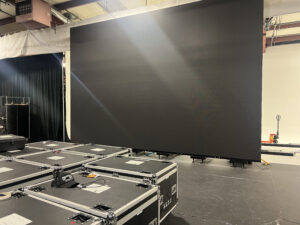
For stages, auditoriums, and houses of worship, large-format monitors (24 inches and above) allow speakers to see content from greater distances. These monitors help pastors, keynote speakers and performers deliver their message confidently to large audiences without relying on small screens or handheld devices.
Specialty of Confidence Monitors
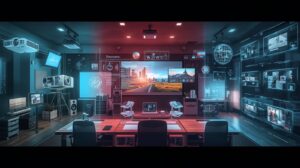
Some confidence monitors serve unique purposes floor monitors for stages that show lyrics or choreography, talent monitors in makeup rooms showing live feeds and producer monitors displaying multiview feeds with several camera angles simultaneously.
Common Uses and Applications
The versatility of confidence monitors makes them valuable across numerous industries and settings. Here’s where you’ll commonly find them in action:
- Television News Studios
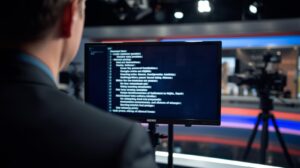
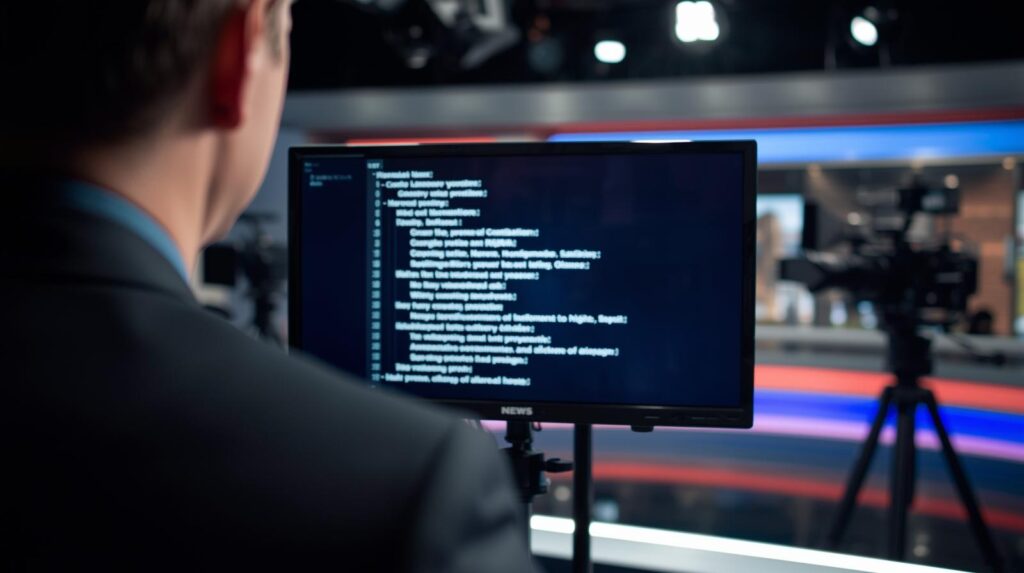
Every newscast you watch relies heavily on confidence monitors. Anchors read from teleprompter monitors positioned in front of cameras, allowing them to deliver the news while appearing to make eye contact with viewers at home. Field reporters use portable confidence monitors during live shots to see what’s being broadcast and when to begin speaking.
- Live Events and Concerts
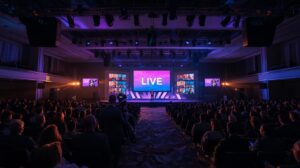
At concerts, award shows, and large-scale events, monitors display lyrics, speaking notes and timing cues for performers. Stage managers use them to coordinate complex productions, while technical directors monitor multiple camera feeds simultaneously on specialized multiview confidence monitors.
- Corporate Presentations and Conferences
Business professionals delivering keynotes, product launches or shareholder meetings use confidence monitors to reference slides and talking points while maintaining a connection with their audience. Companies like Huview provide solutions specifically designed for corporate environments, combining sleek design with professional performance.
- Houses of Worship
Modern churches have embraced monitor technology to enhance worship services. Pastors use them to deliver sermons without constantly looking down at notes, worship leaders see lyrics and chord progressions, and production volunteers monitor live video feeds to ensure quality broadcasts for online congregations. The monitor has become an indispensable tool for churches sharing their message both in-person and digitally.
- Educational Settings
Teachers and professors use monitors during lectures to reference lesson plans, show presentation slides, and even monitor classroom cameras during hybrid learning scenarios. Universities conducting distance learning rely on confidence monitors to help instructors see remote students while delivering content.
- Content Creation and Streaming
YouTube creators, podcasters, and live streamers depend on monitors to see their on-camera appearance, monitor chat interactions, and reference talking points during recordings. This technology has democratized professional-looking content production for independent creators.
Key Benefits of Using a Confidence Monitor
Investing in a quality confidence monitor delivers tangible benefits that improve presentation quality and presenter confidence:
- Maintains Eye Contact: The most significant advantage is allowing presenters to reference information while appearing to look directly at their audience or camera. This creates authentic connections and professional appearances that looking down at notes simply cannot achieve.
- Reduces Anxiety: Knowing your script, slides or camera feed is visible just a glance away dramatically reduces presentation anxiety. Speakers feel more prepared and confident, which translates to better delivery and audience engagement.
- Improves Timing and Pacing: Seeing countdown timers and segment lengths helps presenters manage their time effectively. They can adjust their pacing to fit allocated time slots without constant time-checking that disrupts flow.
- Enhances Professionalism: Productions using confidence monitors simply look more polished. Presenters appear authoritative and well-prepared rather than scattered or overly reliant on notes.
- Increases Flexibility: A single confidence monitor can display scripts, slides, video feeds, or production notes depending on the situation. This versatility makes them valuable across different production types and presentation styles.
- Supports Complex Productions: In multi-camera shoots or live broadcasts with tight timing requirements, confidence monitors provide the real-time information producers and talent need to execute flawlessly.
Factors to Consider When Choosing a Confidence Monitor
Selecting the right confidence monitor requires evaluating several important specifications and features:
Screen Size
Confidence monitor sizes typically range from 7 inches (portable units) to 32 inches or larger (stage and studio installations). Consider viewing distance smaller monitors work for close setups, while larger screens suit stages and distant viewing. A 15 to 17-inch confidence monitor hits the sweet spot for most studio applications.
Resolution
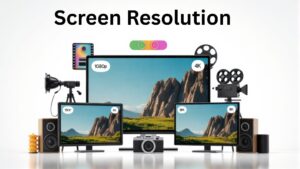
Higher resolution delivers crisper text and sharper images. Look for at least 1920×1080 (Full HD) resolution for script reading. Some professional confidence monitors offer 4K resolution, though this exceeds requirements for most teleprompter applications. The key is ensuring text remains readable at your intended viewing distance.
Brightness
Studio environments often feature bright lighting that can wash out dim displays. Professional confidence monitors should offer at least 300-400 nits of brightness, with premium models reaching 1000 nits or higher for challenging lighting conditions. Outdoor or stage applications require higher brightness levels than controlled studio environments.
Connectivity Options
Verify the confidence monitor supports your signal sources. Common inputs include HDMI (most computers and consumer devices), SDI (professional broadcast equipment) and VGA (legacy systems). Multiple input options provide flexibility for different production setups. Some advanced models offer wireless connectivity for cleaner installations.
Mounting and Portability
Consider how you’ll position the confidence monitor. Studio installations typically use VESA mount compatibility with articulating arms, while portable units need built-in stands or carry handles. Battery operation adds portability but increases cost and weight.
Build Quality and Durability
Professional productions demand reliable equipment. Look for confidence monitors with metal housings, robust connectors and proven track records in demanding environments. While consumer displays cost less initially, frequent replacements due to failures ultimately cost more than investing in professional-grade equipment from the start.
Additional Features
Useful extras include touchscreen controls, headphone monitoring outputs, tally light integration (indicating which camera is live), built-in speakers and preset picture modes optimized for different content types. Huview confidence monitors, for example, often include features specifically designed for broadcast and production workflows.
Confidence Monitors vs. Traditional Teleprompters
Many people confuse confidence monitors with teleprompters or assume they are the same thing. While related, they serve different (though sometimes overlapping) purposes.
Traditional teleprompters use a specialized setup where text reflects off a piece of beam-splitter glass positioned in front of the camera lens. The presenter reads the reflected text while looking directly into the camera, creating perfect eye contact with viewers. Teleprompters require specific software, reversed text display and precise positioning to work correctly.
Confidence monitors, by contrast, display normal (non-reversed) content and don’t require beam-splitter glass. They are positioned near but not directly in front of the camera. Presenters glance slightly off-camera to see the content, creating almost-direct eye contact that appears natural in most situations.
Key differences include:
- Versatility: monitors can show any content (slides, videos, notes), while teleprompters primarily display scrolling scripts
- Setup complexity: Teleprompters require more specialized equipment and precise alignment; monitors simply need a video signal and power
- Eye contact: Teleprompters create perfect eye-line with the camera; monitors require slight off-camera glances
- Cost: Dedicated teleprompter systems often cost more than standard monitors
- Flexibility: monitors easily adapt to different production needs; teleprompters serve one specific purpose
Many modern production setups use monitors running teleprompter software, combining the flexibility of a standard monitor with the script-display functionality of traditional teleprompters. This hybrid approach has become increasingly popular, especially for content creators and smaller production companies.
Conclusion: Elevate Your Presentations with the Right Confidence Monitor
A confidence monitor is more than just a screen it is a professional tool that transforms how you communicate on camera, on stage and in front of audiences. Whether you are broadcasting the evening news, delivering Sunday sermons, presenting quarterly results or creating YouTube content, the right confidence monitor helps you appear more confident, prepared and professional.
From understanding the basic definition and functionality to choosing the perfect confidence monitor for your specific needs, this technology has become essential across industries. The benefits is to improve eye contact, reduced anxiety, better timing and enhanced professionalism make confidence monitors invaluable investments for anyone serious about quality presentations.
What’s the difference between a confidence monitor and a regular computer monitor?
While you can use a regular computer monitor as a confidence monitor, professional confidence monitors offer specific advantages: higher brightness for studio lighting conditions, more reliable build quality for constant use, broadcast-standard color accuracy, and features like SDI inputs and tally light integration. Regular monitors work for beginners, but serious productions benefit from dedicated confidence monitors designed for the task.
How far away can I position a confidence monitor from the presenter?
This depends on screen size and content type. For script reading, most presenters comfortably view 17-inch confidence monitors from 3-6 feet away. Larger 24-32 inch monitors work well from 8-15 feet, making them ideal for stages and larger spaces. The text size in your teleprompter software should be adjusted based on viewing distance—larger text for greater distances.